Showing posts with label hobbies:blogging. Show all posts

Sunday, March 15, 2009

A Little Bloggety Tour - Part 7

Still:Living Blog Tour - Stop #7 - Subscribing & Recent Comments

Catch up on the blog tour:
Part #1 - The Linkbar

Part #2 - The Blogroll
Part #3 - Contact Us
Part #4 - Commenting
Part #5 - Labels, Archives & Related Posts
Part #6 - Project365 & Twitter Gadget

At the very bottom of our blog you'll find two things:

"Subscribe Here" gives you several options for keeping up with us. You can receive our blog (and my Project365 Photoblog) in your email inbox every time we update simply by clicking on the little envelope.

Or, if you're just as addicted to Google Reader as I am, then you can click on the little orange/white box and add our blog to your feed reader. If you follow more than two blogs, a feed reader will really make your life much easier.

On the bottom right of the blog you'll see the "Most Recent Comments" people have made here. You can click on them for the full comment.

And, that is still:living. Hope you enjoyed the ride and you stick around for the really exciting stuff!

Blog Modification Tips:

I use Feedblitz for email subscriptions, and I used this widget to create these subscriptions.

To create the "Recent Comments" I simply used a "Feed" Gadget and put the link to my Comments RSS Feed in. It does all the rest.

Saturday, March 14, 2009

A Little Bloggety Tour - Part 6

Still:Living Blog Tour - Stop #6 - Project 365 & Twitter Gadgets

Catch up on the blog tour:
Part #1 - The Linkbar

Part #2 - The Blogroll
Part #3 - Contact Us
Part #4 - Commenting
Part #5 - Labels, Archives & Related Posts


On the next stop down the left sidebar of our blog, you'll see my daily picture for Project365. I've already covered Project365 and different ways you can see my pictures here, so I'll spare you the repetition of typing that out again.

Below my Project 365 "Picture of the Day," you'll see my Twitter updates. Twitter is basically like a micro-blog. You write what you're doing in 140 characters or less. You can see what your friends are doing throughout the day, comment on your friends' status, and interact with your friends online. If you're so inclined to know exactly what I'm doing/thinking this afternoon, you can follow me here.

Blog Modification Tips:

For Project365, I simply used a picture gadget in Blogger and attached a link to it to my photoblog.

For the Twitter widget, I simply used this tweak: Twitter for Blogger Blog

Friday, March 13, 2009

A Little Bloggety Tour - Part 5

Still:Living Blog Tour - Stop #5 - Labels, Archives & Related Posts

Catch up on the blog tour:
Part #1 - The Linkbar

Part #2 - The Blogroll
Part #3 - Contact Us
Part #4 - Commenting

The "Labels" and "Archive" feature have always been on our blog.

Basically, if you would like to see what we wrote about last summer, you can click on the "Archives" drop-down menu and select a month and year. If you would like to see what we did last Valentine's Day, you can click on "February 2007." If you would like to see the very first post we ever wrote here, just find the earliest date available, and in one click it will take you straight there.

I'm currently in the process of reducing the number of labels I use, simply to make things easier to find (mostly for myself). However, the "Labels" drop-down menu is great if you want to get an idea for a date night in Dallas, get an idea for a quarterly review, see all our past Christmas pictures, etc.

One new feature here is the "Related Posts" feature. To see this, you'll have to click on a post's title, then, at the bottom of the post, you will see this:

Basically, this will show you other posts that have the same the same label(s). I made it easy, if you're so inclined, to read more of the same on our blog.

Blog Modification Tips:

Archive Drop-Down Menu: This is a standard feature in Blogger under "Settings -> Archiving."

Labels Drop-Down Menu: This is not a standard Blogger feature, so I followed the directions at Testing Blogger Beta.

Related Posts Widget: The most straight-forward instructions for doing this are at Bloggers University.

Thursday, March 12, 2009

A Little Bloggety Tour - Part 4

Still:Living Blog Tour - Stop #4 Commenting

Catch up on the blog tour:
Part #1 - The Linkbar

Part #2 - The Blogroll
Part #3 - Contact Us

For a while the comments were broken here at still:living. It made me sad. People kept sending me emails saying, "I tried to comment, but it wouldn't let me . . . so I emailed you."

You see, for a blogger, it's fun to get a little email in your inbox saying, "So&So made a comment on your post." YIPPEE!

So, I set out to not only fix comments, but improve them. Ya'll could probably care less - but I had fun exploring blog comments (have I bored ya'll to death yet?)

Enter: Disqus

Just a few things I liked about Disqus that I thought had the potential to be fun and that I've liked on other blogs:

  1. You can track peoples comments - not just on this blog - but every where. Basically, if a commenter is a registered member of Disqus, you can click on their name and see what comments they've made on other blogs as well.

  2. You can reply to a particular comment and it will appear below that comment in “thread mode."

  3. You can log-in to your own Disqus account and see all of the comments you ever made as a Disqus user.
Disqus is a little like Twitter to me. It seems a little pointless at first, but once you start using it it morphs into something really cool!

Side note: You can ALWAYS comment as an "unregistered" Disqus user - so, if you have an adverse reactions to creating a new username/login, then please don't let that stop you from dropping us a comment!

Blog Modification Tips:


Everything at Disqus is pretty straight forward to install.

Wednesday, March 11, 2009

A Little Bloggety Tour - Part 3

Still:Living Blog Tour - Stop #3 Contact Us

Catch up on the blog tour:
Part #1 - The Linkbar

Part #2 - The Blogroll


Danny and I are all over the internet, and you probably didn't even know it. And now I've just freaked our mom's out just a little bit, and I'll probably be getting an email/phone call about the crazy stalkers who are going to be able to track us down and take us while we sleep. (Don't worry moms: Danny keeps his Bowie knife under the bed for just such emergencies.)

So, if you'd like to get a hold of us you have several options - just click on one of these buttons in the sidebar to the left:

- Click on this icon to email us.

- Click on this icon to see Laura's pictures on Flickr.com.

- Click on this icon to see Laura's Project365 Photoblog.

- Click on this icon to see our Facebook accounts.

- Click on this icon to see Laura's MySpace page (and then bug Danny to get one).

- Click on this icon to follow us on Twitter.

- Click on this icon to see Laura's favorite videos on YouTube.

Of course, if you are not so keen on the internet, then you can always call us on our cell phones, or (GASP) write us a letter.

Blog Modification Tips:

I found the icons for these links at Bloggers University (and made my own for the Photoblog).

I then simply added an "HTML/JAVASCRIPT" gadget to my template and inserted the following code (changing the URL and the picture of course):

Tuesday, March 10, 2009

A Little Bloggety Tour - Part 2

Still:Living Blog Tour - Stop #2 The Blogroll

Catch up on the blog tour:
Part #1 - The Linkbar


We use to have a tab on our old blog called "Friends," I would try furiously to keep it up to date. That was a ridiculous expectation. Every other day I was needing to add people or change people's websites. It was a headache to keep them all alphabetical.

I found a much easier method to sharing all of our friends' websites. So, if your' intriqued, keep reading. Otherwise, play six degrees of separation using our sidebar and enjoy seeing how many of our friends you know too!

Blog Modification Tips:

There is a way to update the blogroll you see on the right side of our blog directly from your Google Reader.

You can read how to do this here.

Monday, March 09, 2009

A Little Bloggety Tour - Part 1

Our little space on the internet has been getting a little makeover the last few weeks. (If you're keeping up with us strictly through Google Reader or the Feedblitz emails, you should click on by - it's quite delightful.)

I wanted to give you a little tour so you could enjoy all that is our internet home and fully appreciate the random html I taught myself over the last few days/weeks!

Still:Living Blog Tour - Stop #1 The Link Bar:

The linkbar is where you can click to different pages of our blog. We've had tabs on our blog for a while, but during this make-over we also gave them new names.

"still" comes from the beginning of our name (duh?!) and it also signifies continuous, progressive, increasing movement. We want these blogs to encourage us, and you, to keep living, learning, and growing in our walk with the Lord and in life.

Each of these tabs are also getting re-vamped, and a few of are still under construction - so bare with us.

  • still:Life
    FEATURING: photography and photography blogs I follow

  • still:Reading
    FEATURING: see what we're currently reading, have read and hope to read

  • still:Cooking
    FEATURING: browse our favorite recipes
STILL TO COME:
  • still:Saving
    FEATURING: I hope to share tips on frugal living, saving money, budgeting and coupons
At each stop in our Blog Tour I'm going to include links to the sources of my hacks and html knowledge, so if you're so inclined and would like to adapt your own blog, you can feel free to play around.

Blog Modication Tips:

Our blog template came from OurBloggerTemplates. It is a three-column template named PSI. It's very easy to customize the colors, fonts, and appearance within blogger once you upload the template.

Note: If you have any questions at all, or something doesn't make sense, always feel free to email me about blog modifications!

Tuesday, December 23, 2008

commenting issues

Just so you know, we know about the issue with comments not working. Technical support is on that, and when she's finished reading "HTML/CSS for Dummies" she should have this blog working lickety split in no time.

In the interim feel free to email us all of your fun comments!

Wednesday, November 07, 2007

Try This Google Search


Try this:

Google "Swiss Avenue Halloween"

or try this one:

Google "Weekend to Remember Conference Review"

Cool huh?

Thursday, October 11, 2007

Blogcrowd

Well, the Stiller are moving up in the world of blogging.

I've enjoyed toying around with this whole template thing. The process looked something like this:

1. Laura wanted to copy Sander & Whitney's look, so she tracked down the website where they got their template.

2. Laura wanted a customized picture at the top. She didn't quite know enough html, so she asked the smart techie at BlogCrowds for some help.

3. Blogger moved into the new, beta format and threw everything off. So, Laura had to ask questions again about getting a picture at the top of her blog. She was getting to the guy at Blogcrowd on a first screenname basis, and was probably like, "You AGAIN?!"

4. Laura saw a blog with a rotating header and decided she had to have one. She worked and fiddled and pounded on the keyboard, but nothing would work. So, she scampered right back to Blogcrowds and ask "pretty please" for some more help with html and java.

And, then, do you know what happened. Blogcrowds liked the customizations that Laura had spend so many hours asking questions about, that they decided to feature her blog on their website.

You can go check it out here:

http://www.blogcrowds.com/resources/view_template.php/k2_37

Friday, September 21, 2007

Two Years of Blogging

In honor of our Blog's 2nd Birthday I've done a little revamping.

That's right, we've been blogging for two years. For two years you've been reading about our highs and lows, our adventures and travels, and where the Lord has taken us and what He has taught us.

It seems like yesterday that I sat down in our little office in Greenville, SC to write our first post. I was surrounded with boxes, desks, couches, and tons of Thanks Yous to write. It was already getting chilly in Greenville and the leaves were turning colors. It was definitely a new experience for this Texas couple.

Little did we know where the Lord was going to take us over the next two years. Our minds were filled with honeymoon bliss, unpacking our first home, and enjoying spending time together. We didn't have an inclining that we would move four times in two years, change jobs, cry lots of tears missing Texas and then leave South Carolina.

And, so, here I am in Dallas, TX writing our 206th post. We still have no idea what the Lord will do in our lives in the next two years. We might move four times in the next two years, but that's okay, I'm an expert packer!

Each blog has a new rotating header. So, if you hit "refresh" or "F5" you'll see a new picture appear at the top of the blog. I'll leave you to discover just how many different pictures you'll find on each blog.

Go ahead, go check them out. You know you want to:

Thursday, September 28, 2006

Blog Modifications

Well, our blog is undergoing modifications AGAIN.

You've probably already noticed Danny's Podcast addition. Listen all the way through and you'll get to hear me at the very end. I'm still in the interviewing process, so maybe next time I'll get even more air time! We have had some requests and are back in the studio recording several stories for your listening pleasure.

We've also added a Videos link so you can access all the videos we've displayed on our blog in one easy click. Everything from wedding/anniversary videos to old TruLife videos will be up here (for those of you who enjoy reminiscing with me), as well as any other videos we find. So, check back for updates.

The Friends link has new additions (if you're not already up there - LET US KNOW! You're one click away from being added). We've added links to some great resources, things that will make you think and discover. We've also included links to resourceful/useful webpages - things that help us get through the day easier.

Finally, if you would like to receive our blog in newsletter format, straight to your inbox the minute we update, then you can sign up by entering your email in the subscription box to the right. You can also unsubscribe at any time, if you find that you don't really want us cluttering your inbox with more Stiller news!

So, hopefully you find the changes entertaining and useful. If not, then go read another blog.

Monday, September 04, 2006

A Post for Posterity

A year ago today Danny and I started our trek across the country to moved to Greenville, SC. We were still blissfull honeymooners, so we had no idea what we were in for.

This is our 101st post since our start last September 21, 2005.

Monday, July 17, 2006

A Little Remodeling . . .

Welcome to the new and improved Stiller Blogspot.

As you can see our blog has a new look! Hopefully the format is easier to navigate, a little more pleasing to the eye, and overall - just better! Each page/link will boast new and personal pictures of us and/or our family & friends. So, get to clickin' and enjoying the layout. You might even find a picture of yourself hidden somewhere among these pages.

If by any chance you should find a link that doesn't work, or pictures that don't appear, please email us at:

Wednesday, September 21, 2005

We have succumb to the latest trend . . .

We have succuumb to the latest trend . . . we have a blogspot. Good heavens.

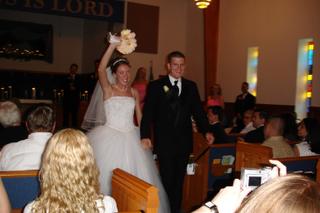
Married 25 days and still going strong . . . Here's a picture of our first five seconds of marital bliss.


Well friends - it's here - the long awaited Stiller Blogspot! I know you've been losing sleep just waiting for news. Here you can catch up on what's going on in our lives. Eventually all of our wedding pictures (yes, all 800) will be here for your viewing pleasure. Here's one just to tickle your fancy.

Also be on the lookout for the quarterly newsletter:

The Stiller Star Reader

It should be out in the next month or so. Highlights include: Honeymoon Memories, Getting To Know You (What I've learned about my spouse so far). South Carolina Sweetness, and more!
(I'm a new wife with no job yet - what on earth did you THINK I was gonna due with all this spare time? I have to use "the skills" I learned while serving in TruLife somewhere!)

We love ya'll and hope you enjoy the "blogs." Drop us a note and let us know how you're doing - we need to here from HOME!

  © Blogger template 'A Click Apart' by Ourblogtemplates.com 2008

Back to TOP